Highlight Stacks
Remember the good old days of Leopard? You’d click on a stack, and a lengthy while later, it would pop-up a list of your documents, apps or what have you, with a nice halo around the hovered item.
Come Snow Leopard, and Apple has fixed many of the endearing waits for the stacks to open/render, but in so doing, they got rid of the highlighted object. You can select items alright, but where’s the highlight?
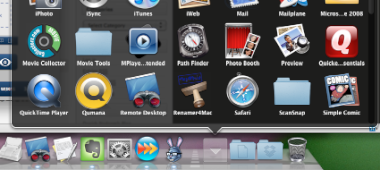
Worry not, here’s how-to. Open the terminal on your Macs and do the following (after sudo -s).
defaults write com.apple.dock mouse-over-hilite-stack -boolean TRUE
killall Dock
And voila, you have a halo.